
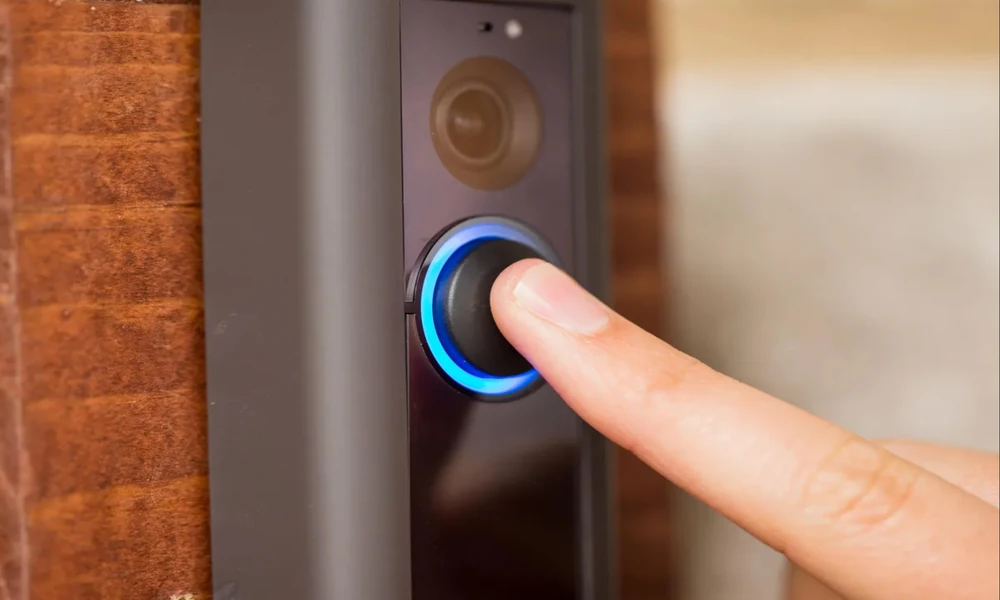
Home security has come a long way from a simple doorbell and a porch light. Today, homeowners can see who is approaching their front door, receive alerts when someone enters the driveway, and check on their property from a smartphone while they are at work or away on vacation. Smart doorbells and security cameras make these features possible, but getting the most out of them often starts with something homeowners do not always consider: the electrical wiring.
For many Austin homeowners, hardwired security equipment offers a dependable alternative to relying entirely on batteries. A properly planned installation can provide consistent power, reduce maintenance, and help create a connected security system that works throughout the property. However, not every home has the wiring, transformer capacity, or wireless network coverage needed to support newer devices.
Whether you live in an established Austin neighborhood with an older home or a newer property in a growing suburban community, understanding your installation options can help you avoid unnecessary expenses and frustrating equipment problems.
Why Hardwired Smart Security Is Worth Considering
Battery-powered security equipment is convenient because it can often be installed without running new wires. The trade-off is that batteries eventually need to be recharged or replaced. Depending on the device, recording settings, activity levels, and weather conditions, that maintenance can become more frequent than expected.
Hardwired smart doorbells and cameras can provide a more consistent power source. Some cameras use low-voltage wiring, while others require a dedicated electrical connection or a compatible power adapter. The correct solution depends on the equipment and the location where it will be installed.
A hardwired system can be particularly useful for households with multiple exterior cameras, frequent activity around the property, or a desire to minimize battery maintenance.
Austin properties can have different security needs depending on their layout. A home with a long driveway may benefit from a camera positioned near the garage, while a property with a detached workshop or backyard entrance may need additional coverage away from the main house.
The goal is not simply to install more cameras. It is to build a reliable system that covers important areas without creating unnecessary wiring problems or blind spots.
1. Installing Hardwired Video Doorbells for Reliable Power
A video doorbell is often the first step toward a smarter home security setup. It allows homeowners to see visitors, communicate with someone at the entrance, and receive notifications when the device detects activity.
Unlike a traditional doorbell, a smart model may include a camera, microphone, speaker, motion detection, night vision, and a connection to a mobile application. These features can make the doorbell useful even when nobody presses the button.
Before installation, it is important to determine how the device will receive power.
Many hardwired video doorbells are designed to use an existing low-voltage doorbell circuit. Others require a particular voltage range, a compatible transformer, or a specific power accessory. Some devices also support battery operation, even when connected to existing wiring.
A professional installation begins by checking the manufacturer’s requirements and comparing them with the home’s existing setup.
The installer should also consider the doorbell’s mounting position. A camera installed too high may miss faces, while one positioned at an awkward angle may capture excessive glare or provide a poor view of visitors. The entrance should be visible without unnecessarily recording neighboring properties or public areas.
For homes with covered porches, recessed entrances, or unusual exterior finishes, choosing the right mounting location can take a little extra planning.
A properly installed smart doorbell should provide reliable power, a useful viewing angle, and a stable connection to the home’s network. These details matter just as much as the features advertised on the product packaging.
2. Checking the Existing Doorbell Transformer and Wiring
One of the most common mistakes homeowners make is assuming that any existing doorbell circuit will support a modern video doorbell.
Traditional doorbells generally have simpler power requirements than newer smart devices. A transformer that worked perfectly for years may not meet the voltage or power specifications of a replacement device.
Before purchasing equipment, homeowners should determine whether the existing transformer is compatible.
A professional evaluation may include checking the transformer’s rated output, examining accessible low-voltage wiring, and verifying that the circuit meets the manufacturer’s requirements. The installer can also look for loose connections, damaged insulation, deteriorated wiring, or other conditions that could interfere with operation.
Some smart doorbells require a compatible chime connector or power accessory. Others may work with an existing mechanical or electronic chime, depending on the model.
If the current transformer is undersized or incompatible, it may need to be replaced with a suitable unit. Simply connecting a newer doorbell to the existing wires does not guarantee that it will operate correctly.
Insufficient or unstable power can contribute to unexpected restarts, unreliable operation, or device-specific error messages. These symptoms are not always caused by the transformer, however. Network issues and compatibility problems can produce similar frustrations.
Austin homeowners with older properties should be especially mindful of the condition of existing electrical components. A doorbell upgrade is a good opportunity to have questionable wiring evaluated rather than assuming it is suitable for new technology.
Tejas Electric can help homeowners plan smart home electrical upgrades around the needs of their property, including determining whether additional electrical work may be necessary before installation.
3. Adding Wired Security Cameras Around Garages and Driveways
A front-door camera provides useful information, but it cannot show everything happening around a property. Additional cameras can help homeowners monitor entrances and exterior areas that are not visible from the street.
Garages and driveways are common locations to consider. A camera positioned near a garage can provide a view of vehicles, the driveway approach, and activity near an exterior door. Depending on the property layout, it may also help monitor access to tools, equipment, or storage areas.
Side entrances deserve attention, too. These doors are sometimes less visible from the street or neighboring properties, making them easy to overlook when planning security coverage.
Backyards may benefit from cameras overlooking gates, patio entrances, detached garages, or pathways leading toward the house. Homeowners with workshops, sheds, or other outbuildings should consider whether those areas need their own coverage.
A thoughtful camera layout considers more than the number of devices. It accounts for viewing angles, lighting, potential obstructions, weather exposure, and the distance between each camera and the home’s network or power source.
For example, mounting a camera directly above a garage door may capture a wide area but produce an unhelpful view of faces. Moving it to a nearby corner could improve identification while maintaining coverage of the driveway.
Cameras should also be positioned to avoid unnecessary glare from the afternoon sun, exterior lighting, and reflective surfaces.
Good placement can improve the usefulness of a security system without requiring homeowners to purchase additional equipment.
4. Planning Power and Wiring for Cameras Away From the Front Entrance
Installing a camera near an existing doorbell circuit is one thing. Powering a camera on the opposite side of the house or near a detached structure can be considerably more complicated.
Before choosing equipment, homeowners should identify the locations where cameras would provide the most value and determine how each device will be powered.
- Power over Ethernet (PoE): A compatible network cable carries both data and electrical power to the camera from suitable PoE equipment.
- Low-voltage power: A compatible power supply delivers the voltage required by the camera.
- Existing suitable wiring: An installer may be able to use an existing pathway or connection if it meets the equipment’s requirements and applicable safety standards.
- A new electrical circuit or receptacle: Some equipment requires an appropriate source of conventional electrical power.
- A separate power solution for detached buildings: A garage, workshop, or other outbuilding may need additional planning for power and network connectivity.
PoE can be especially useful for a system with several cameras because it can simplify power distribution and reduce the need for separate adapters at every camera location. However, it requires compatible equipment and proper cable installation.
Outdoor cable routes need particular attention. Wiring must be suitable for its environment, protected against physical damage, and installed in accordance with applicable requirements. Buried wiring, exposed exterior runs, and connections in damp locations may require specific materials and installation methods.
Homeowners should also consider the practical side of future maintenance. A camera mounted high on a wall or beneath a roof overhang may be difficult to reach. Planning accessible mounting locations and sensible cable routes can make troubleshooting and replacement easier later.
For detached garages and workshops, avoid assuming that an extension cord or an improvised outdoor power arrangement is an appropriate permanent solution. The correct approach depends on the equipment, site conditions, and applicable electrical requirements.
5. Wi-Fi Coverage Matters as Much as Electrical Access
A security camera can have a reliable power supply and still perform poorly if its network connection is weak.
Many homeowners discover this after installing a camera at the far end of a driveway or on the back of the house. The device powers on, but video takes too long to load, notifications arrive late, or the connection drops unexpectedly.
Exterior walls, metal garage doors, masonry construction, distance from the router, and interference from other wireless devices can all affect Wi-Fi performance.
Before buying cameras, homeowners should evaluate the network coverage at each proposed installation location. A smartphone signal check can offer a rough indication, although the camera’s actual performance may differ.
Depending on the property, potential improvements include relocating the router, adding a properly configured access point, or using a compatible mesh Wi-Fi system. A wired network connection may be preferable for cameras that are far from the router or require a more consistent connection.
PoE cameras can be particularly attractive when a suitable network cable can be run to each location. They can reduce dependence on Wi-Fi for the camera’s connection to the local network, although remote viewing still depends on the overall network and internet setup.
It is also worth thinking about recording requirements. Some devices store video in the cloud, while others support local storage or a dedicated recorder. Recording quality, retention settings, and the number of cameras can affect bandwidth and storage needs.
Planning these details before purchasing equipment can prevent a situation where a homeowner spends money on premium cameras only to discover that the existing network cannot support them reliably.
6. Integrating Smart Doorbells, Cameras, Lighting, and Motion Sensors
A connected security system can do more than display video. When compatible devices work together, they can help homeowners respond to activity around their properties.
For example, a motion sensor near a side gate could trigger a compatible exterior light. A camera covering the driveway might send a notification when activity is detected. A smart doorbell could allow a homeowner to speak with a visitor without opening the door.
Smart exterior lighting can be particularly useful around garages, walkways, and backyard entrances. Lighting improves visibility for residents and visitors while helping cameras capture clearer images at night.
However, compatibility matters. Not every smart doorbell communicates with every camera, lighting controller, or motion sensor. Some systems rely on a shared application, while others use a compatible smart home hub or supported automation platform.
Before purchasing devices, homeowners should confirm that the products support the integrations they want.
It is also important to plan the electrical requirements for smart lighting. Some fixtures can use existing wiring, while others may require new wiring, additional controls, or modifications to an existing switch arrangement. Outdoor fixtures and connections must be suitable for their installation environment.
Motion detection should be configured thoughtfully, too. A camera that constantly detects passing cars, moving tree branches, or neighborhood activity can quickly become annoying. Adjusting detection zones and notification settings can make the system more useful.
Austin homeowners may want to consider how exterior lighting and cameras will work together during evening hours, storms, and periods when the household is away. A coordinated setup can provide better visibility without requiring every device to operate at full intensity all the time.
7. Why You Should Check Wiring Before Buying Smart Security Equipment
Shopping for smart security products can be exciting. It is easy to compare camera resolution, night vision, artificial intelligence features, subscription plans, and smartphone compatibility.
But the equipment with the most impressive specifications is not necessarily the best choice for every home.
A little planning before purchase can prevent expensive surprises.
Start by identifying the locations you want to monitor. Determine whether each location has suitable electrical access, whether existing wiring can be reused, and whether a new cable route may be needed.
Next, check the power requirements for each device. A video doorbell may need a compatible low-voltage transformer, while a PoE camera needs a suitable network cable and PoE source. A conventional outdoor camera may require a different arrangement altogether.
Then evaluate network connectivity. If a camera will be mounted near a detached workshop or at the far end of a large property, do not assume that the home’s existing Wi-Fi will reach it reliably.
Finally, review the manufacturer’s installation instructions, compatibility information, mounting requirements, and any restrictions involving outdoor use.
A useful pre-purchase checklist includes:
- The exact power requirements of every device.
- Compatibility with the existing doorbell transformer and chime.
- The locations of existing wiring and suitable cable pathways.
- Wi-Fi coverage or the feasibility of a wired network connection.
- Outdoor weather exposure and cable protection.
- Compatibility between cameras, lights, sensors, and the smart home platform.
- Video storage, subscription costs, and privacy settings.
Taking these steps first makes it easier to choose equipment that fits the home instead of trying to modify the installation around products that may not be suitable.
Can You Install Smart Doorbells and Security Cameras Yourself?
Some smart security installations are reasonable DIY projects for a handy homeowner. Others involve electrical work that calls for professional help.
The distinction depends on the work being performed.
A straightforward replacement of an existing low-voltage doorbell with a compatible model may be manageable for someone who can follow the manufacturer’s instructions, safely identify the existing wiring, and complete the mounting without modifying building electrical systems.
Similarly, installing a battery-powered camera may involve little more than mounting the bracket, configuring the application, and connecting the device to Wi-Fi. Homeowners should still take care when working on ladders, drilling into exterior walls, and avoiding hidden wiring or plumbing.
The situation changes when the installation involves new electrical circuits, line-voltage connections, modifications to fixed electrical wiring, or unfamiliar transformer and power-supply arrangements.
These jobs can introduce shock hazards, fire risks, code-compliance issues, and problems caused by unsuitable wiring or improper connections. Working on a circuit without understanding its configuration can also damage equipment or create an unsafe condition.
Texas has specific licensing and regulatory requirements for electrical contracting and electrical work. Whether a particular task can legally be completed by a homeowner or another individual depends on the circumstances, the scope of work, and applicable state and local requirements. Homeowners should not assume that every low-voltage or smart security installation is automatically exempt from those requirements.
When new electrical wiring, a dedicated circuit, or modifications to existing electrical systems are involved, consult a qualified, appropriately licensed electrical contractor. Permit requirements may also apply, depending on the work and local rules.
For Austin homeowners, hiring a professional can be particularly worthwhile when the installation involves multiple cameras, difficult cable routes, outdoor power, an outdated electrical system, or a combination of smart lighting and security devices.
An experienced electrician can help evaluate the existing setup, identify appropriate power options, and determine which parts of the project require electrical work. A network specialist may also be helpful when the system needs extensive Ethernet cabling, advanced Wi-Fi coverage, or a dedicated recording network.
The best approach is not necessarily to hire someone for every small task. It is to recognize when a project goes beyond simple device mounting and requires specialized knowledge.
Why Austin, Texas Homeowners Choose Professional Smart Home Installation
Austin homes vary widely in age, construction, and layout. An established home in Hyde Park may have different wiring considerations than a newer property in Avery Ranch or a larger home with a detached workshop in the Hill Country.
Some properties have existing doorbell wiring that can be reused. Others may need a transformer upgrade, new low-voltage cabling, improved network coverage, or a better plan for powering cameras around the perimeter.
Professional planning helps homeowners account for these differences before they become costly installation problems.
Homeowners in Austin, Texas looking to improve convenience, security, and energy management can rely on Tejas Electric for professional smart home installation tailored to their home’s electrical system and connected devices.
Tejas Electric helps homeowners consider the electrical side of modern home technology, from evaluating existing wiring to planning upgrades that support connected devices. The right installation plan can help ensure that smart security equipment works with the home’s electrical infrastructure instead of creating unnecessary complications.
When discussing your project with an electrician, explain which areas you want to monitor, whether you plan to add exterior lighting, and whether you expect to expand the system in the future. These details can help determine whether existing wiring is sufficient or whether additional work should be considered.
Planning for future needs is especially useful if you expect to add a garage camera, smart door locks, a video intercom, or other connected devices later. Installing appropriate pathways and infrastructure during an initial project may be more convenient than revisiting the same areas after exterior finishes have been completed.
Final Thoughts: Build a Smarter, More Reliable Home Security System
Smart doorbells and security cameras can make everyday life more convenient while giving homeowners better visibility around their properties. But reliable performance depends on more than purchasing a popular brand or installing a camera where it looks best.
Power requirements, transformer compatibility, wiring routes, Wi-Fi coverage, camera placement, and device integration all deserve attention before the project begins.
For a smaller installation, a capable homeowner may be comfortable handling basic mounting and setup. When the work involves new wiring, electrical modifications, or uncertain power requirements, professional guidance is the safer and more practical choice.
Tejas Electric can help Austin homeowners plan electrical upgrades that support modern smart home technology. By evaluating the home’s existing setup and identifying the right installation approach, homeowners can make informed decisions about their security equipment and avoid common problems before they start.
Thinking about adding a hardwired video doorbell, driveway cameras, or smart exterior lighting? Contact Tejas Electric in Austin, Texas to discuss your home’s electrical needs and determine the best way to prepare for a dependable, connected security system.
